

Guest Writer Invitations
Talkbase Publish lets you invite others to contribute posts to your blog. Guest posts appear under your account and are marked for your review.
How to Send an Invitation
You can invite a guest writer from two places:
-
The overflow menu (⋮) in the top-right header — click Invite Guest Writer
-
The Dashboard — if a guest post is part of a series, you'll see an invite button to request the next installment
Creating an Invitation
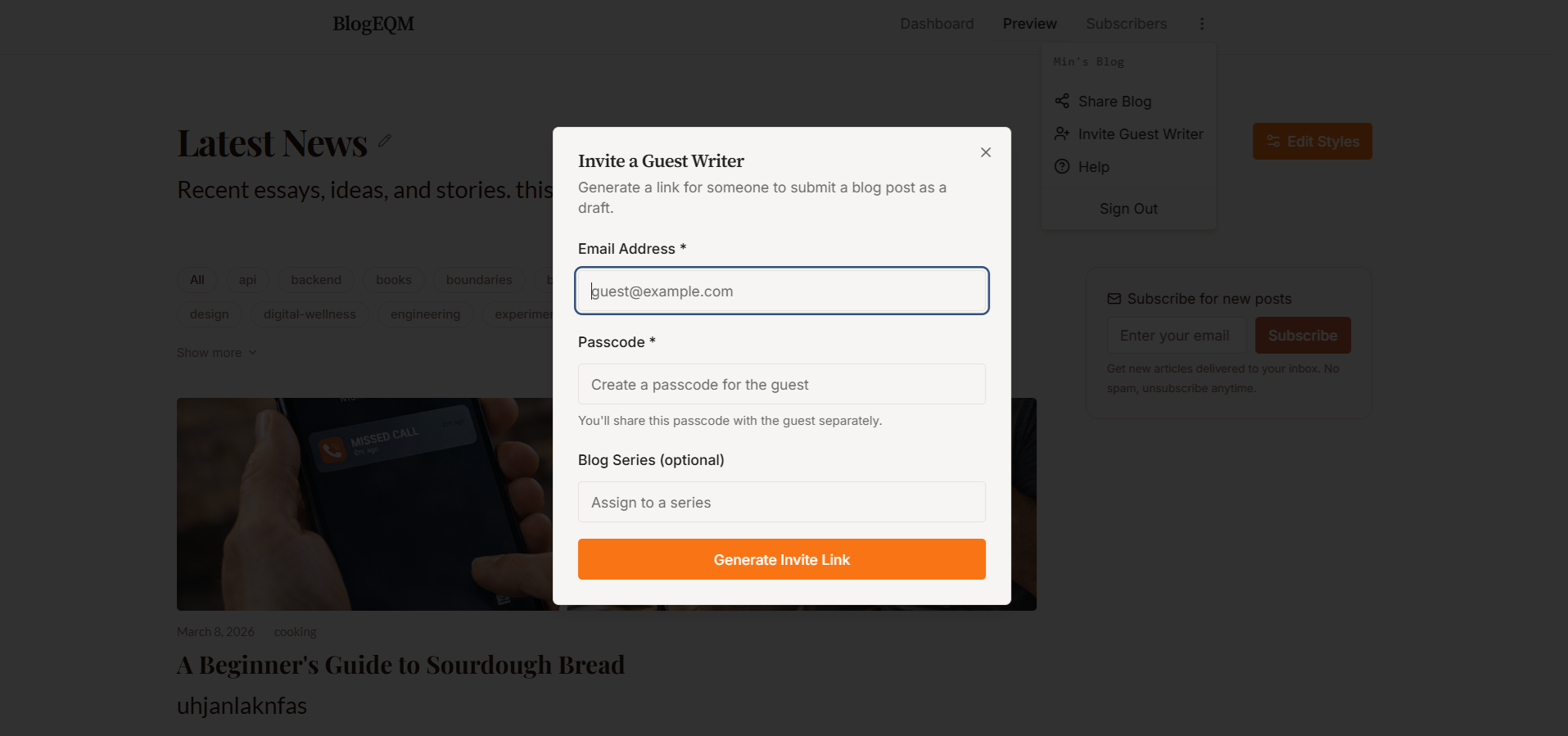
When you open the Invite Guest Writer dialog:
-
Email — Enter the guest writer's email address
-
Passcode — Create a passcode the writer will use to access the submission form
-
Series (optional) — Assign the invitation to a specific post series. Existing series names are suggested as you type.
Click Create Invite to generate a unique submission URL.
Sharing the Link
After creating the invite, a URL is displayed that you can copy and send to your guest writer. They'll use this link along with the passcode to submit their post.
Reviewing Guest Submissions
Guest-submitted posts appear on your Dashboard with a Ready for Review status badge. You can:
-
Preview the post to see how it looks
-
Edit it in the editor to make changes
-
Publish it when you're satisfied
-
Delete it if it doesn't meet your standards
Guest posts retain the original author's name and details as submitted.