

Your Dashboard
The Dashboard is your command center for managing all your blog posts.
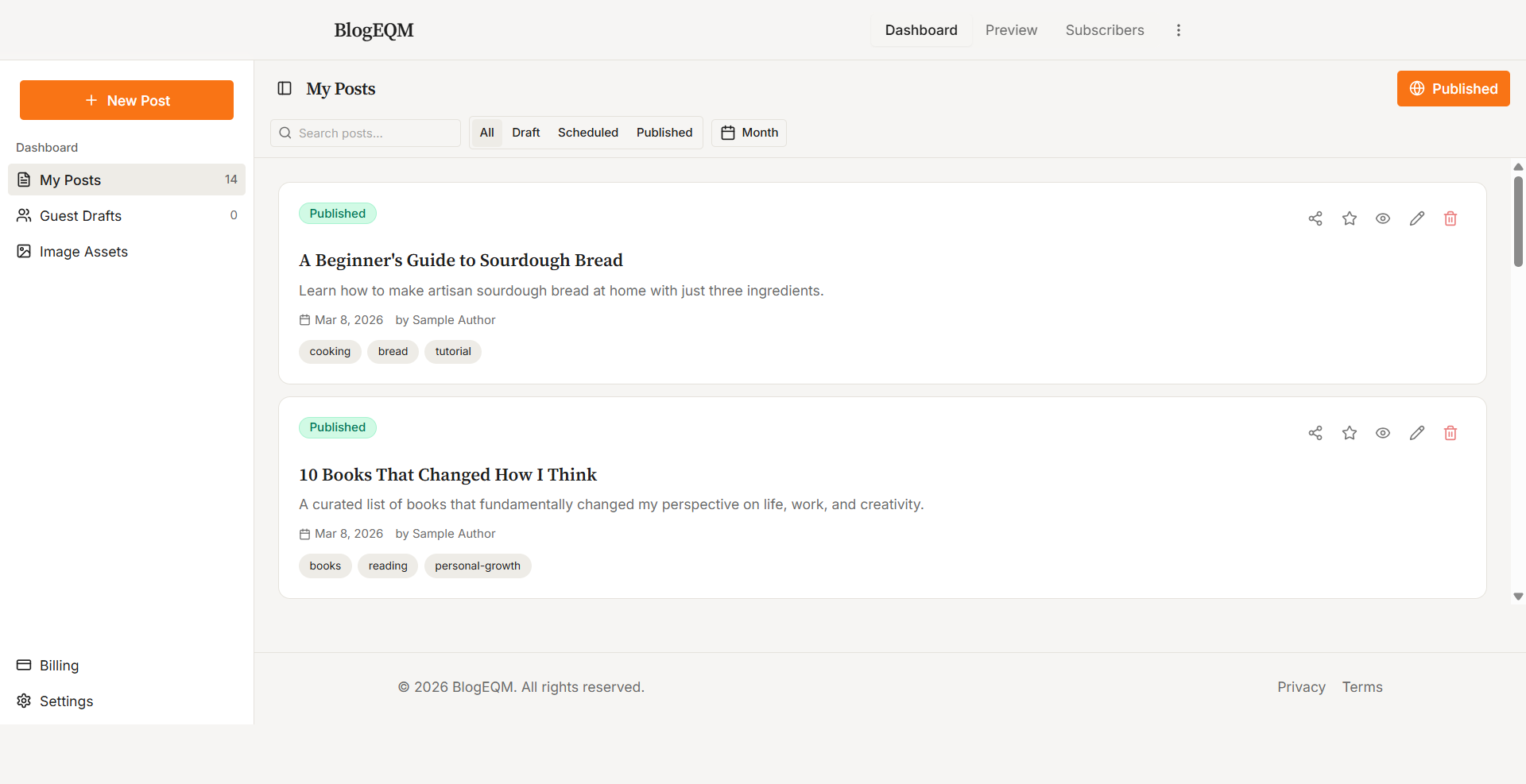
Viewing Posts
Your posts appear as cards showing:
-
Status badge — Draft, Scheduled, Published, or Ready for Review (for guest posts)
-
Featured star — Indicates your currently featured post
-
Title and excerpt
-
Date created and author name
-
Tags displayed as small badges
Searching and Filtering
Use the search bar at the top to find posts by headline, subheading, excerpt, or tag. Entering a search query automatically clears any active status or month filters.
You can also filter by:
-
Status — All, Draft, Scheduled, or Published
-
Month — Navigate between months using the arrow controls
Post Actions
Each post card has action buttons (visible on hover on desktop, always visible on mobile):
-
Share — Share a published post to Facebook, X, LinkedIn, or Reddit
-
Star — Set a published post as your Featured post (only one at a time)
-
Preview — View the post as readers will see it
-
Edit — Open the post in the editor
-
Delete — Remove the post (with confirmation)
Pagination
Posts are paginated at 9 items per page. Use the pagination controls at the bottom to navigate between pages.